Overview
A licence is what lets someone act on equipment — run pre-starts, review checks, service machines. Licences are granted per equipment group, not per machine, and against a phone number, not an account: the licence simply waits for its holder the first time they sign in to the mobile app with that number.
Before you start
- Plan
- Any
- Role
- Contributor or above
- The equipment group must already exist — every licence is scoped to one
Granting a licence
Under Licensing → Licenses, the table lists licences — one row per licence, not one per person, so someone licensed in three equipment groups appears three times. Click a holder's name to see everything that person holds in one place. To add a licence:
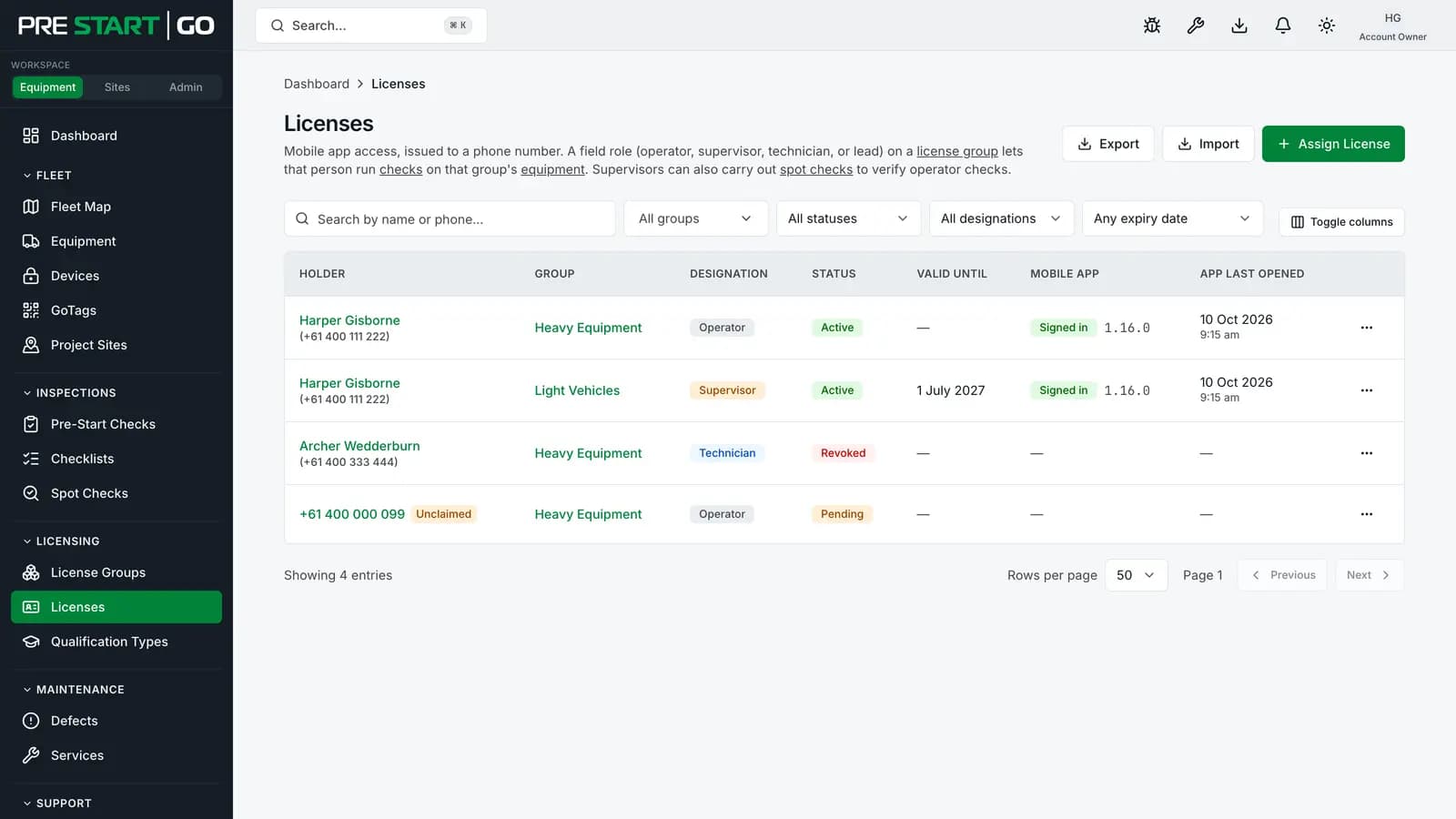
- 1Click Assign License.
- 2
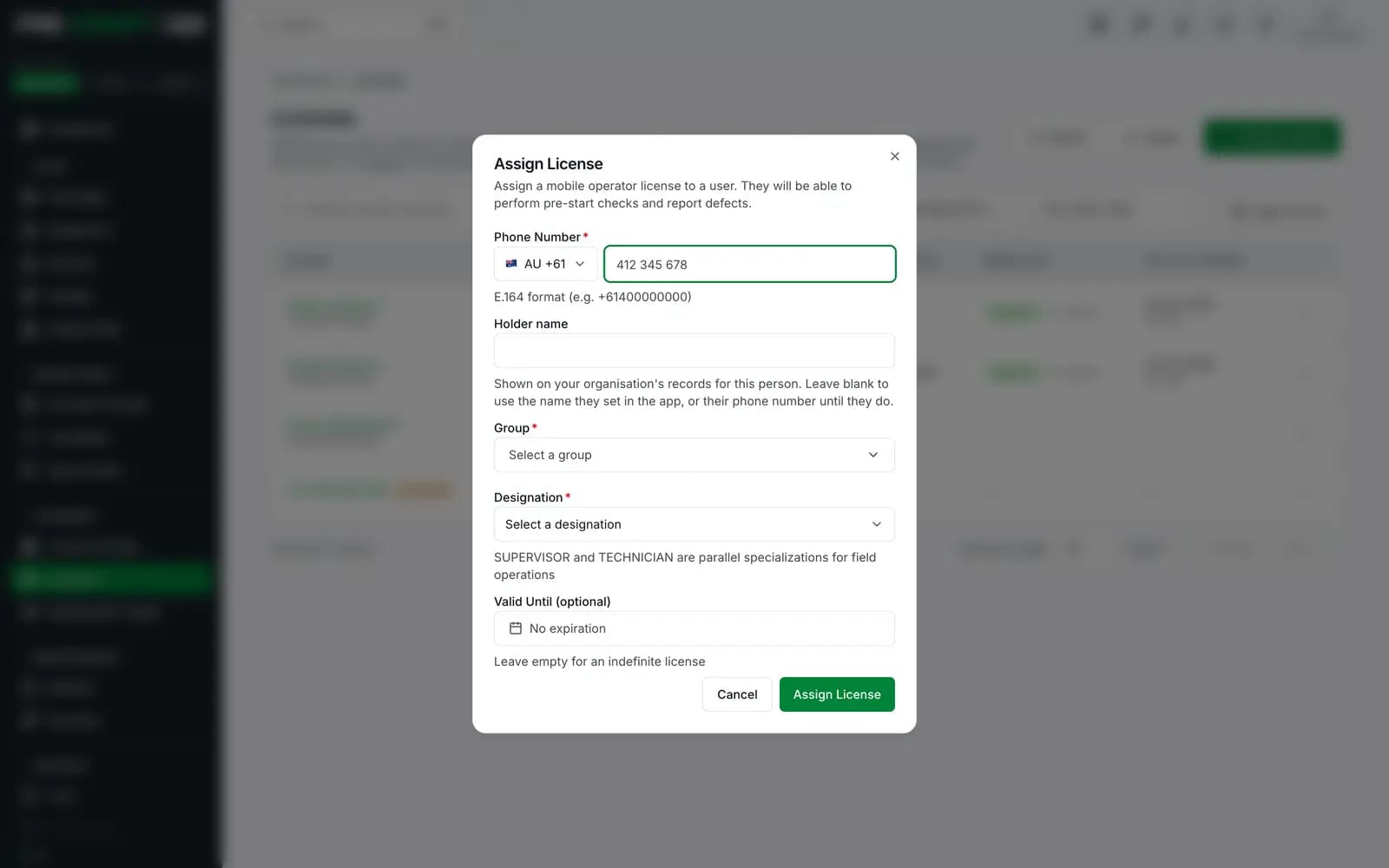
Enter the person's phone number. Type it the way you would locally (
0412 345 678) and pick the country from the selector beside the field, or paste a full international number starting with+and the country is detected for you. This number is their identity; get it exactly right. - 3Choose the Group the licence covers.
- 4Choose the Designation — Operator, Supervisor, Technician, or Lead (below).
- 5
Set Valid Until — a date for licences that should lapse automatically (tickets, temporary workers), or leave it empty for no expiry. The licence works for the whole of that day and lapses at its end, in your computer's time zone.
- 6Click Assign License.
Tip
No account needs to exist first. Their account is created the first time they sign in with that number — see Inviting Your Team for the whole onboarding picture.
What each designation can do
| Designation | Adds |
|---|---|
| Operator | Run pre-starts and unlock equipment in the group |
| Supervisor | Everything Operator can, plus reviewing and invalidating flagged checks, acting as a spotter authority, and entering service mode |
| Technician | Everything Operator can, plus servicing and hardware work: commissioning Interlocks, installing and replacing GoTags, and setting or lifting a machine's out-of-service lockout |
| Lead | Everything Supervisor and Technician can, combined — for the leading hand who both reviews checks and services machines |
Designations sit side by side rather than on a ladder: Supervisor and Technician both add service mode to Operator, but a Technician can't review or invalidate flagged checks, and a Supervisor can't do servicing, hardware or lockout work. A person holds one licence per group, so grant Lead to the leading hand who needs both, and otherwise the designation that matches the person's real job. Every fleet needs at least one Technician or Lead licence: without one, nobody can commission hardware, and lifting an out-of-service lockout falls back to the console's Administrators and Account Owner.
Renewing, revoking, and expiry
- Expiry is automatic and enforced everywhere — including offline. An expired licence stops unlocks on the spot; the machine stays visible in the holder's app with a renew prompt, so the failure is explained rather than mysterious.
- Renew from the person's row before the date passes; licences expiring soon are also flagged to their holders. To find them in the console, set the list's expiry filter to Expiring within 7, 14, 30, 60 or 90 days; the Equipment Dashboard's licences-expiring line opens it at 30.
- Revoke immediately ends the licence — the field app enforces a revocation as soon as it learns of it, which for an online phone is effectively immediate.
- Importing licences — a Valid Until cell holding a date alone works through the end of that day, and a Valid From date alone starts at the beginning of it, both in your organisation's time zone.
Every grant, renewal and revocation is written to the Audit Log, and holders are notified of licence changes.
One person, several licences
A multi-skilled worker holds one licence per group — Operator for Trucks, Technician for Excavators — as separate rows on the same phone number. That's the intended shape, not duplication: each row carries its own designation and its own expiry.
Edge cases
- Changing someone's designation is a new grant at the new level — the row you see reflects what currently applies.
- A contractor licensed by two organisations holds licences from each, under one phone identity; each organisation manages only its own.
- Recycling a phone number between staff is the one genuinely dangerous move — the number is the identity. Revoke the old holder's licences first, and talk to support if a number must genuinely change hands.
Troubleshooting
| Symptom | Likely cause | What to do |
|---|---|---|
| Holder signs in and sees nothing | Number mistyped on the licence, or wrong group | Verify the number digit by digit; check the group actually holds their machines |
| "Not licensed" on a machine they should have | The machine sits in a different group | Compare the machine's group to their licences — see License Groups |
| Unlocks stopped working suddenly | The licence hit its Valid Until date | Renew it — expiry is enforced automatically, offline included |
| Revoked someone but they acted minutes later | Their phone was offline and hadn't learned yet | Enforcement lands with their next sync or push — check the Audit Log for exact times |