Overview
A license group is the platform's answer to "who may operate what, and what does inspecting it involve". Every machine belongs to exactly one group; every operator licence covers exactly one group. Shape the groups well and everything downstream — licensing, checklists, configuration — falls into place; shape them poorly and you'll feel it everywhere.
Before you start
- Plan
- Any
- Role
- Contributor or above to create and edit groups
What a group carries
| Carried by the group | Effect |
|---|---|
| Licence scope | An Operator/Supervisor/Technician licence is for a group — its holder can act on every machine in it |
| Default checklist | Machines inherit the group's pre-start template unless individually overridden |
| Configuration defaults | Group-level settings cascade to member machines (machine-level overrides win) |
The platform enforces the structural rules: a machine cannot be registered without a group, and a licence cannot exist without one — because without the group there is nothing to scope either to.
Shaping your groups
Group by operator competency, not by site, project or brand. The test: "would I licence someone for all of these machines at once?" If yes, they belong together.
- Good: Excavators · Telehandlers · Light Vehicles · Cranes — each maps to a competency you licence people for.
- Poor: North Yard · Smith Contract · CAT — none of those is a thing you licence a person to operate, so each forces double-licensing or over-granting later.
Fewer, broader groups mean less licence admin; more, narrower groups mean finer control. Start broad — you can always split later.
Creating and maintaining groups
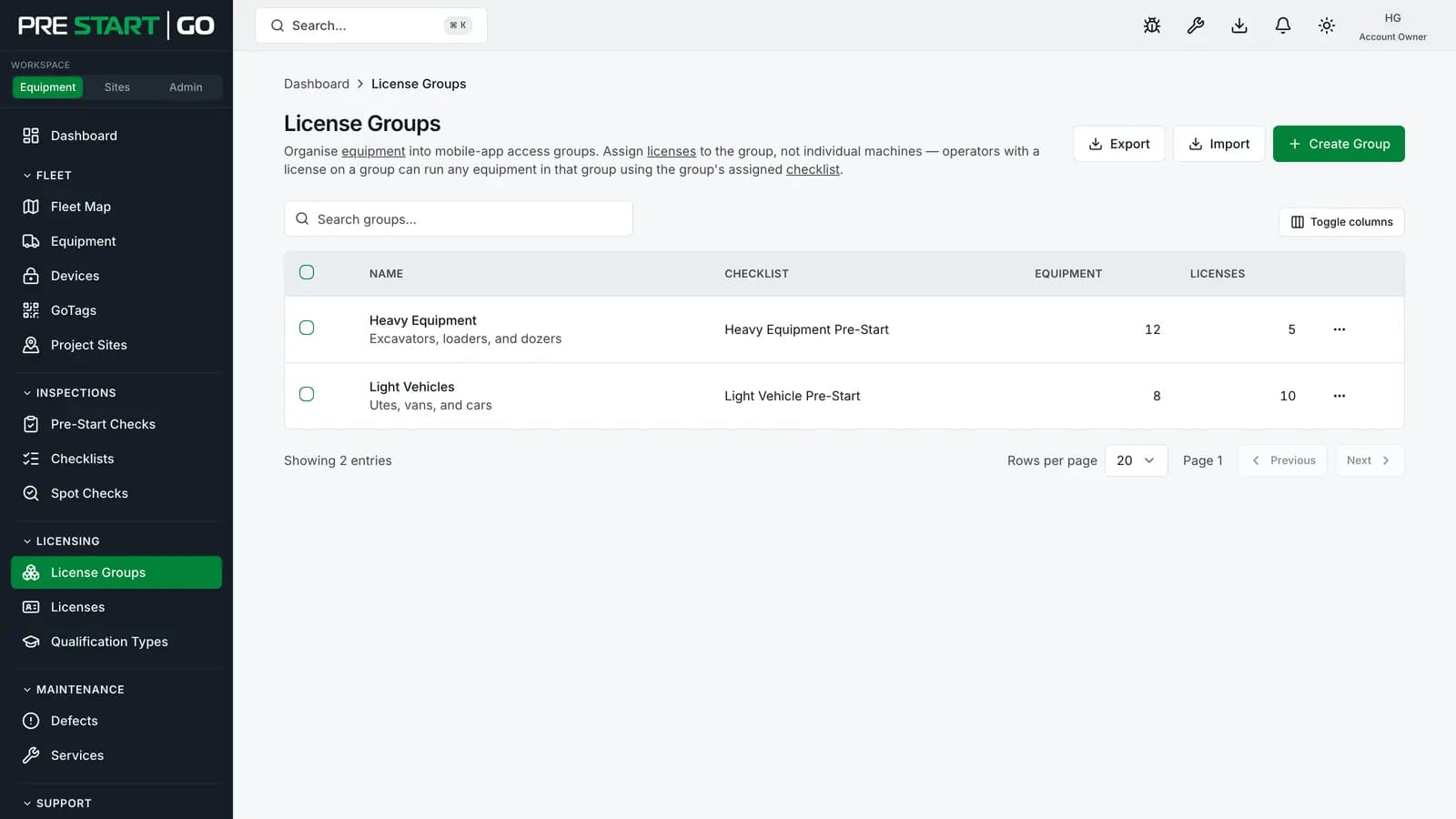
Groups live under License Groups in the console sidebar. Create the group, set its default pre-start template, and it's ready to take machines and licences. Day to day, the group page is where you see the membership — the machines classified into it and the licences scoped to it.
What changing things does
- Moving a machine to another group changes who may operate it (the new group's licence-holders) and which checklist it inherits — immediately, with field apps catching up on their next sync. Its history stays intact.
- Renaming a group is cosmetic — licences and machines follow the group, not its name.
- Retiring a group requires rehoming its machines first; licences for an empty group grant nothing.
Borrowed machines and groups
A machine hired in from another organisation arrives unclassified — the owner's group means nothing in your organisation. Classifying it into one of your groups is what lets your licence-holders operate it, and it's the first step after accepting any hired-in machine. See Cross-Org Equipment Rental.
Edge cases
- A machine that genuinely spans competencies (a truck-mounted crane): pick the group matching the competency that governs its pre-start, and remember one person can hold licences in several groups — the flexibility lives on the person, not the machine.
- An ungrouped machine (possible via CSV import with a blank group column) is invisible to every operator until classified — every licence is group-scoped, so no licence can match it.
- One-machine groups are legitimate for genuinely unique plant, at the cost of one licence row per operator per group.
Troubleshooting
| Symptom | Likely cause | What to do |
|---|---|---|
| Operator can't act on a machine they "should" have | Their licence covers a different group | Compare the machine's group against their licences — this is the most common mismatch |
| A machine has the wrong checklist | It inherited its group's default | Override the machine's default template, or reclassify it |
| Can't register a machine | No group exists yet | Create the group first |
| Hired-in machine uninspectable | Not yet classified into one of your groups | Classify it — see Cross-Org Equipment Rental |