Overview
A kiosk is a shared tablet — typically mounted at a gate office or yard entrance — displaying a rotating check-in QR code. Workers scan it with their own phones to check in to the site or record toolbox attendance; nobody handles or unlocks the tablet itself.
Before you start
- Plan
- Builder — kiosks belong to the plan that hosts sites
- Role
- Contributor or above in the console to create and manage kiosks; Administrator or above to revoke or delete one
- A site for the kiosk to belong to
- A tablet with a network connection, mounted where people enter
Creating a kiosk
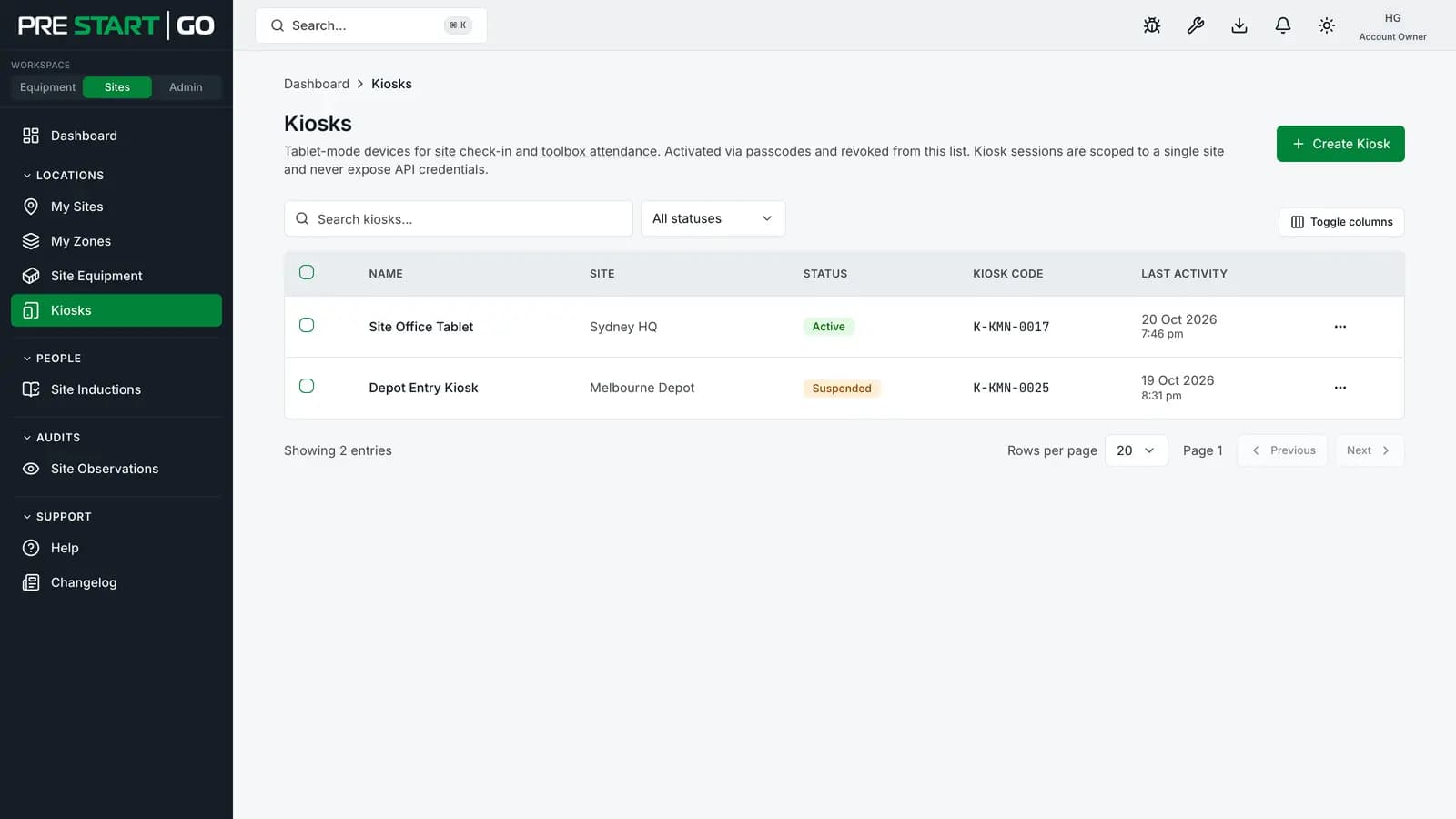
- 1In the console, open Kiosks and select Create Kiosk.
- 2Name the device and assign it to a site.
- 3
The dialog returns a one-time 6-digit passcode — shown once only. Copy it immediately; if it's lost before pairing, regenerate rather than hunting for it.
Pairing the tablet
- 1On the tablet, open the kiosk app and enter the passcode.
- 2
The tablet exchanges the passcode for its own device session and begins displaying the rotating check-in QR code. The passcode is now spent.
Two protections operate from here on: repeated failed passcode attempts lock the pairing until a fresh passcode is generated (no brute-forcing), and the on-screen QR rotates continuously with single-use codes — a photographed or screenshotted QR can't be replayed to check in twice.
Managing a paired kiosk
From the kiosk's page in the console:
| Action | What it does | When |
|---|---|---|
| Suspend / resume | Pauses check-ins without ending the pairing | Maintenance, site briefly closed |
| Regenerate passcode | Ends the current session and issues a fresh one-time passcode; the tablet must pair again | Rotating hardware, or the passcode was mishandled |
| Revoke | Permanently ends the session — pairing from scratch is the only way back | Device lost, stolen, or compromised |
The kiosk holds its own device credential, separate from any person's account — revoking a kiosk touches no worker's access, and no worker's departure touches the kiosk.
Edge cases
- Connectivity at the gate — the kiosk's rotating code needs the tablet online; workers' phones complete the check-in on their own connections. Site a kiosk where the tablet has dependable coverage or Wi-Fi.
- Several entrances — one kiosk per entrance, each its own named device on the same site, so you can suspend or revoke one gate without touching the others.
- After a revoke, the tablet shows pairing again — it's safe to hand to IT or dispose of; the session is dead server-side.
Troubleshooting
| Symptom | Likely cause | What to do |
|---|---|---|
| Passcode rejected at pairing | Already used, expired, or attempts locked it | Regenerate a fresh passcode from the console |
| QR on screen but scans do nothing | Worker-phone side — no coverage or wrong app | The worker's phone completes the check-in; check their connection |
| Kiosk shows "suspended" | Deliberately paused from the console | Resume from the kiosk's page |
| Tablet lost with a live session | Security exposure | Revoke it now (Administrator); a Contributor can Suspend it |
| No Kiosks section in the console | Plan or role | Kiosks are a Builder capability, managed by Contributor and above |